
Configuration actions #
Q: I did change the home-configuration of the robot in the robot editor. However, in the workflow the “home-configuration-action” is unchanged.
A: The home-configuration that is used per each robot (in the workflow) is the home-configuration in the scene / cell that is used in in the workflow. Update the home-configuration in the scene and you will find it updated in the workflow as well. Why is that? Usually in multi-robot cells the robots (which are often mounted symmetric) do not have the same “home” but often each robot has its own home-pose.
Device `Linear´ is not allowed to have an enabled end-action because it is an auxillary device for a device which has not end action #
The planning (or calocation of the feasability maps is terminated with the error message “Device `Linear´ is not allowed to have an enabled end-action because it is an auxillary device for a device which has not end action."
See also the image below for the error message.
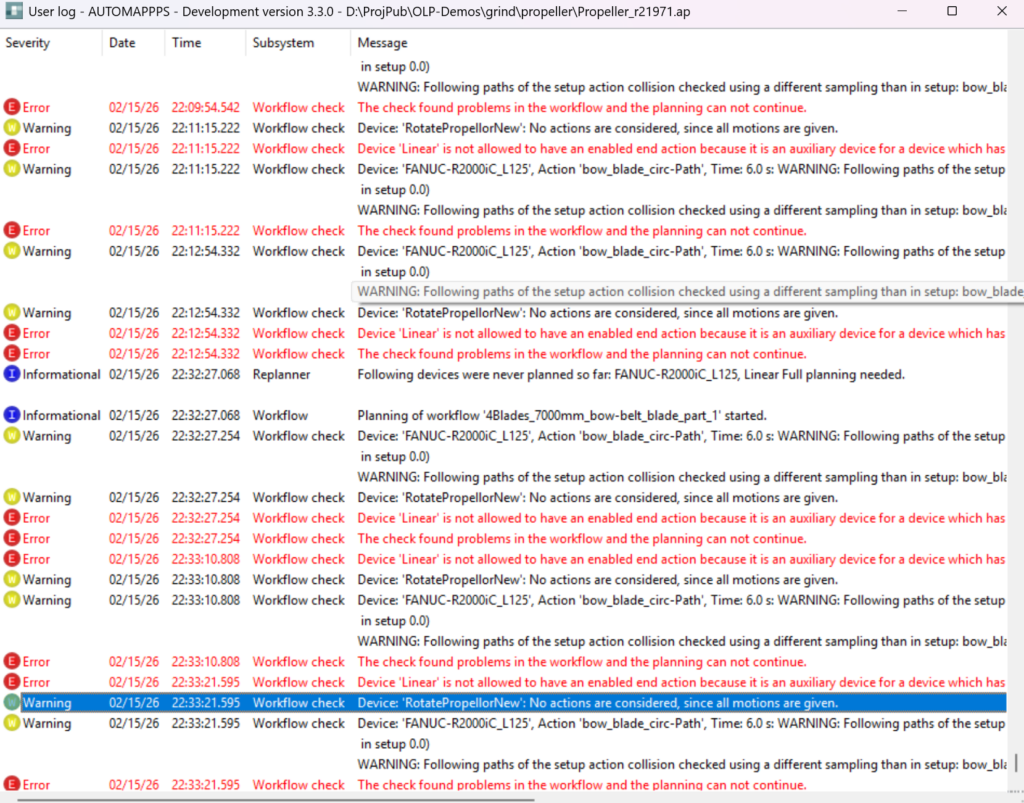
Image:
The reason is the following. The device with the name Linear is a linear module to which the robot is mounted. It is planned together with the robot. It is also linked to the robot, so the exporter will export the axis values together with each motion step of the robot program as external axes values.
The devide Linear is planned actively and has an end-action (see 1). The Fanuc robot to which it is assigned to however has no end action (see 2). It can also be that the robot has an end-action but it is de-activated. It can also be the other way around that the axis Linear has no end-action.
In any case, robot and associated active devices shall be consistent with startactions and end-actions.
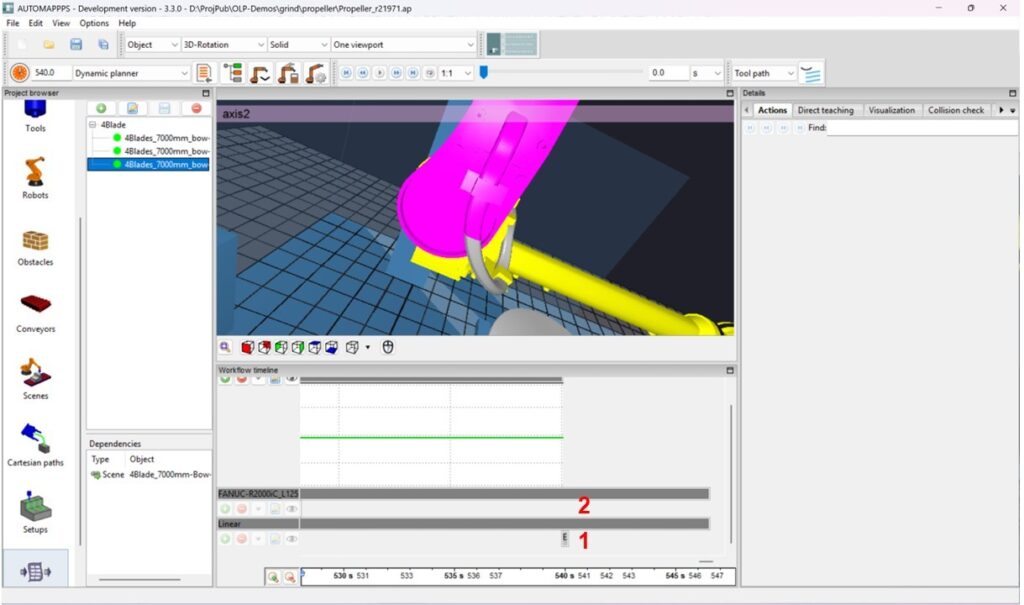
Image:
I changed the HOME in the robot editor, but in the workflow the old one is used #
The home defined in the “robot editor” will be used for all robot cells / scenes created in the future as default. If you change it, it will not overwrite the HOME in existing scenes of individual robots.
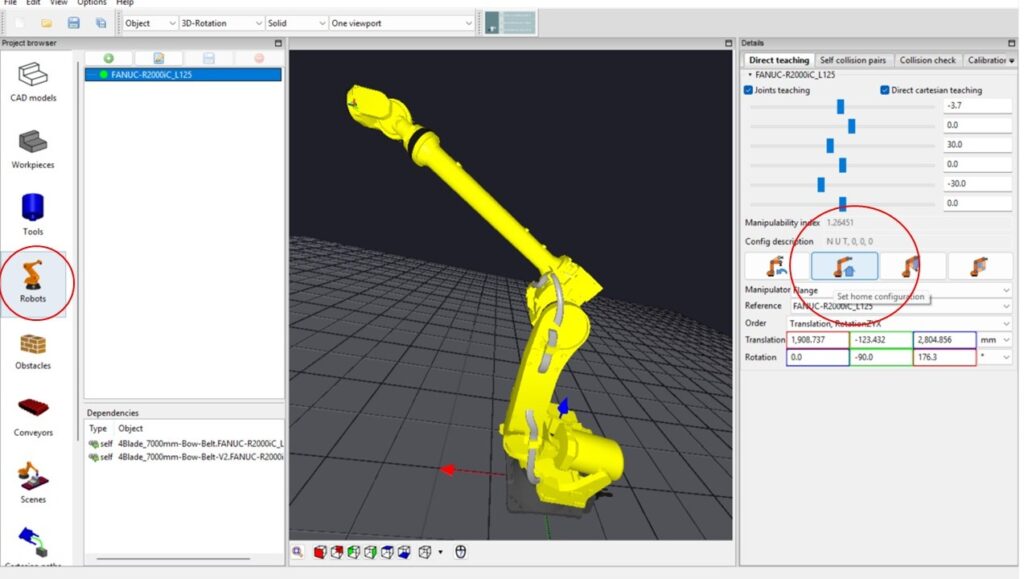
Image: Defining the home in the robot editor
It is best practice in robot programming to define in each scene (each robot cell), the HOME pose of each individual robot, e.g. to consider symmetries of different mounting poses of the robots. See image below.
These individual HOME settings are used in the workflow. Changing the default value in the robot editor therefore has no consequence. You have to change them in the scene.
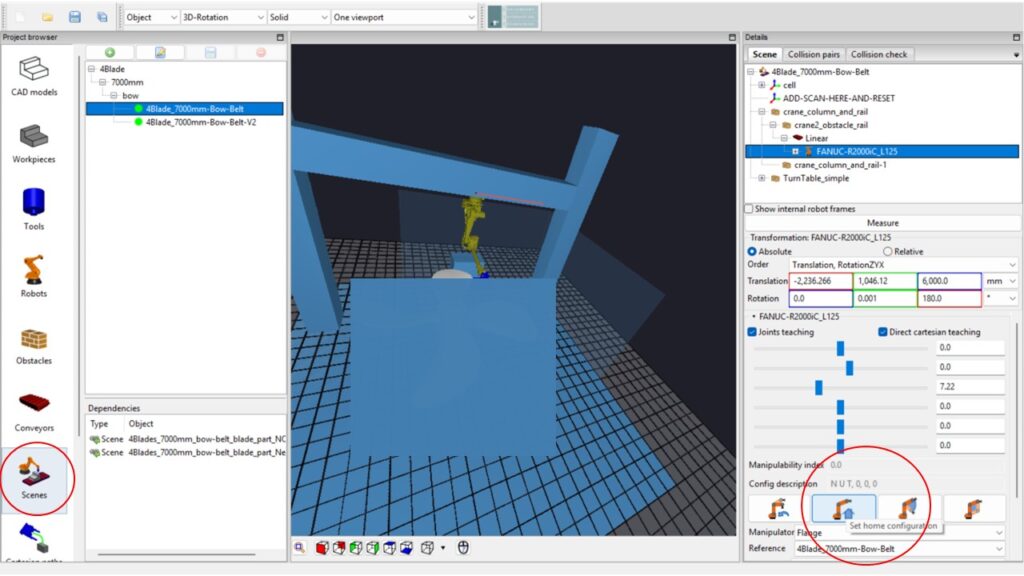
Image: defining the HOME-pose of the robot in the “scene editor”: Change the joint values and then press “set home configuration”.


