
Tool-paths are essential in robot offline programming. Robot tool-paths define how the tool shall move while executing the process. In the robot program, tool-paths will be connected by air-motions with each other or with the start and end-configuration of the robot.
Static inspection or 3D measurement processes or drilling processes are examples for „point-based-processes“. The tool is not moving during the process with respect to the surface. In case of drilling it can be moving into the surface. The tool is not scanning the surface or moving in lines or curves or meanders on the surfaces. The position of the tool and robot during the process is static, except a possible approach/depart motion. Also called „landing-departing“ motion. Grasping and releasing for pick and place applications are similarily also point-based-processes, but are dealt extra in a special simple way.
Consequently, a tool-path of such a process is a single point. It may be extended with an additional landing-departing motion. Of course several of those points can be connected with air-motions inbetween. Such as several drillings are executed in a program. Or several inspection points (patches) are included in a robot program to cover/see the entire part.
Define tool-paths
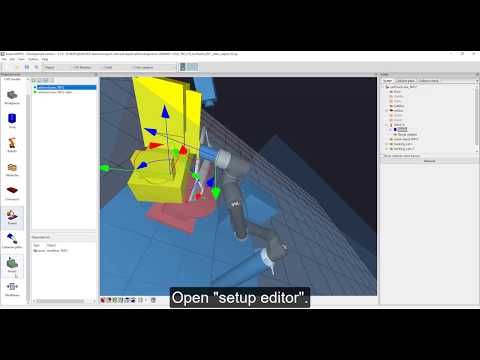
How to define such a tool-paths from scratch – for the case of point based processes is shown next:
The video is embedded by YouTube and only loaded and played from there when you click on the play button. From then on, the privacy policy of Google applies.
Simplified you click on „Add Toolpath“ and click on the surface of the part (with CTRL). Each time you clock a new tool-path with 1 control-point is created. For selecting a „single-point“ tool path,
Import tool-paths
Process-points, such as measurement or inspection points are frequently defined externally. You can importr those defined points instead of defining them again.
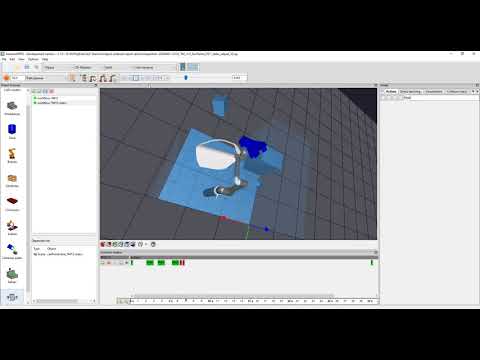
In the next video, we show how to import a set of tool-paths (in this case several view-points) from a file. The video also shows how to adjust view-points that can not be executed by the robot automatically that planning is now possible.
For the adjustment (or optimization) of one or several tool-paths or points, you can select individual robots (cells can include multiple robots) and tools (each robot can carry several tools) and workpieces (each cell can include several parts). Also you can define in which time segment within the cycle time the tool-path shall be executeable.
The video is embedded by YouTube and only loaded and played from there when you click on the play button. From then on, the privacy policy of Google applies.


